jackpot77 Mobile App
We at jackpot77 recognise that most of our users access live football markets, casino tables, and slot games from their phones rather than desktop computers. Our mobile experience is built around this reality—whether you're following Liga 1 fixtures from Jakarta, checking withdrawal status during Idul Fitri, or placing bets on Piala AFF matches from Surabaya, your account and funds remain secure and responsive on any device.

- Installin
- LoginOTP Verification
- and
Mobile access to jackpot77 comes in three forms: a native Android APK you download directly, iOS browser access via Safari or Chrome, and our responsive web app that works on any modern phone. Each path offers the same account security, payment integration with DANA, e-wallet, mobile banking, and local payment, and real-time push notifications for live events. The choice depends on your device, storage space, and preference for app-store versus browser-based convenience.
This guide walks you through installation, explains the strengths of each platform, and covers common setup questions—from enabling unknown sources on Android to managing app permissions and data usage. We also outline how our KYC verification, deposit confirmation, and withdrawal review windows work on mobile, so you understand exactly what happens when you fund your account or request a payout.
Getting started with jackpot77 on mobile
The first step is choosing your installation method. Android users can download our APK directly from jackpot77 and install it without visiting an app store. iOS users access jackpot77 through Safari or Chrome, then save the web app to their home screen for a native-like experience. Both approaches give you instant access to live-dealer blackjack, roulette, Dragon Tiger tables, and sportsbook markets covering Champions League, Premier League, and MotoGP.
-
Download the APK or open the web app
Android: download from jackpot77; iOS: visit jackpot77.app in Safari and tap Share → Add to Home Screen.
-
Install and grant permissions
Android requires you to enable unknown sources in Settings. iOS prompts you to allow notifications for live-event alerts.
-
Register or log in to your account
Enter your username, email, and password. If you're new, complete KYC verification with a valid ID and proof of address.
-
Make your first deposit and start playing
Choose DANA, e-wallet, mobile banking, local payment, or online payment. Deposit confirmation is instant; your balance updates in real time.
Why mobile app over browser
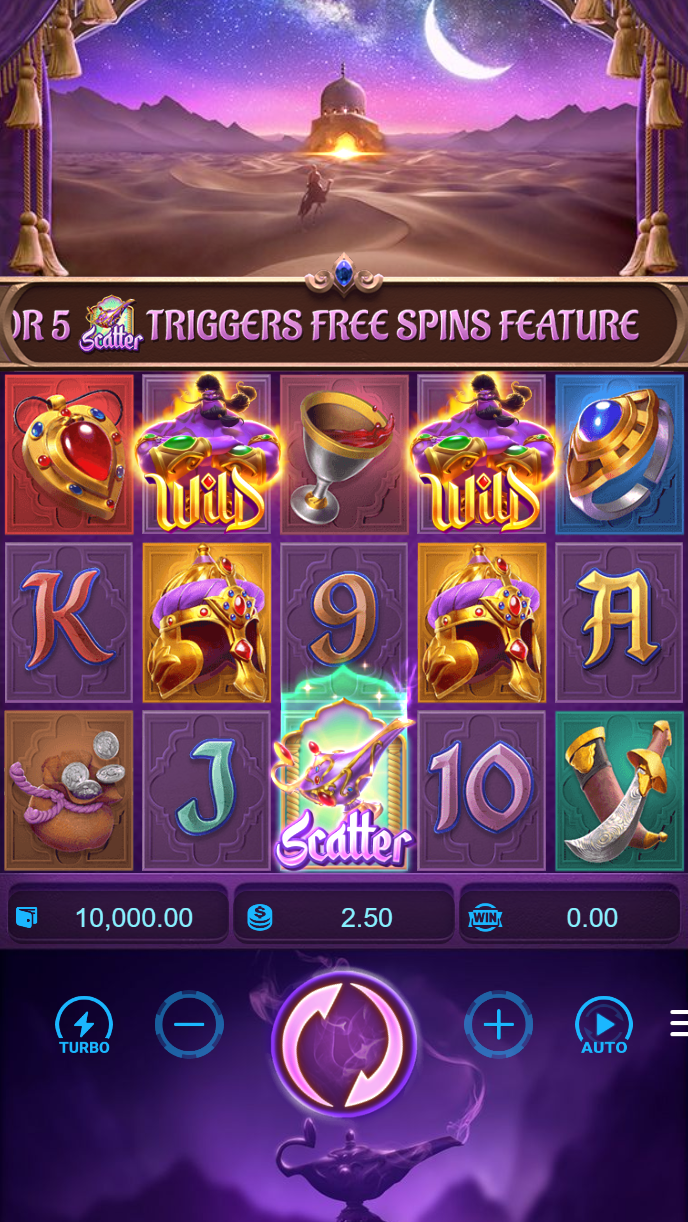
Our native Android app and iOS home-screen shortcut offer several advantages over the mobile web version. Push notifications alert you instantly when your favourite Liga 1 team is playing, when a withdrawal is approved, or when a new Piala Indonesia tournament opens. The app caches game assets locally, so slot games like Aviator and Sweet Bonanza load faster even on slower connections. You also get offline access to your account history and settings—useful when you're in areas with patchy signal, such as during travel to Bandung or Medan. The web version works perfectly well and requires no installation, but the app experience is smoother for daily users who want speed and real-time alerts.
App vs. browser: which is right for you?
Choose the app if you play daily and want push notifications and faster load times. Choose the browser if you prefer not to install anything or if you switch between devices frequently.
Device compatibility and requirements
Our Android app runs on Android 7.0 and later. Most phones sold in the last five years meet this requirement. iOS users need iOS 12 or later to access jackpot77 via Safari or Chrome. If your device is older, the web version may still work, but we recommend updating your operating system for security and performance. Storage requirements are minimal—the APK is under 50 MB, and the web app uses only a few MB of cache. Data usage depends on your activity: watching live-dealer streams uses more bandwidth than checking account balances or placing bets on text-based sportsbook markets.
Troubleshooting common installation issues
If you're installing the Android APK and see a warning about unknown sources, this is normal. Go to Settings → Apps & Notifications → Special app access → Install unknown apps, find your browser, and toggle the permission on. Once the APK is installed, you can toggle it back off. On iOS, if the home-screen shortcut doesn't appear after tapping Add to Home Screen, try clearing your Safari cache and repeating the process. If you see certificate or SSL warnings, this usually means your phone's date and time are incorrect—check your device settings and sync with your network. If the app crashes on launch, try uninstalling and reinstalling, or clear the app cache in your phone's Settings.

Data, permissions, and account security on mobile
When you install our app or access jackpot77 via browser, we ask for specific permissions: notifications (so you receive live-event alerts), camera (for KYC document upload), and location (optional, to comply with jurisdiction checks). We never sell or share your data. Your username, password, and payment details are encrypted in transit and at rest. When you deposit via e-wallet, mobile banking, local payment, online payment, or e-wallet, payment processing happens on secure third-party servers—jackpot77 never stores your card or bank details. Your KYC documents (ID, proof of address) are stored securely and deleted after verification is complete. Withdrawal requests go through a review window to prevent fraud; we'll notify you via push notification and email when your payout is processed. If you ever lose access to your account, our support team can help you reset your password or recover your account using your registered email and phone number.
Key takeaways
- Android APK and iOS web app both offer full access to live football, casino, and sportsbook markets
- Push notifications, offline cache, and faster load times make the app ideal for daily users
- Device requirements: Android 7+ or iOS 12+; minimal storage and data usage
- Your account data is encrypted; payment details are never stored on jackpot77 servers
- KYC verification and withdrawal review windows protect both you and our platform
Next steps: deposit and start playing
Once your account is set up and verified, you're ready to deposit. We accept mobile banking, local payment, online payment, e-wallet, mobile banking, and bank transfers via local payment, online payment, e-wallet, and mobile banking. Deposits are confirmed instantly, and your balance updates in real time. You can then explore our live-dealer tables (blackjack, roulette, baccarat, Dragon Tiger), slot games (Gates of Olympus, Fortune Tiger, Mahjong Ways), and sportsbook markets covering Liga 1, Piala AFF, and international tournaments. Our support team is available across multiple channels if you have questions about deposits, withdrawals, account recovery, or game rules. Services are available only where local law permits.